Ledger.com/Start® — Getting™ Started | Ledger®
Visit Ledger.com/start to understand the complete device setup process, explore firmware instructions, and learn essential hardware wallet security practices.
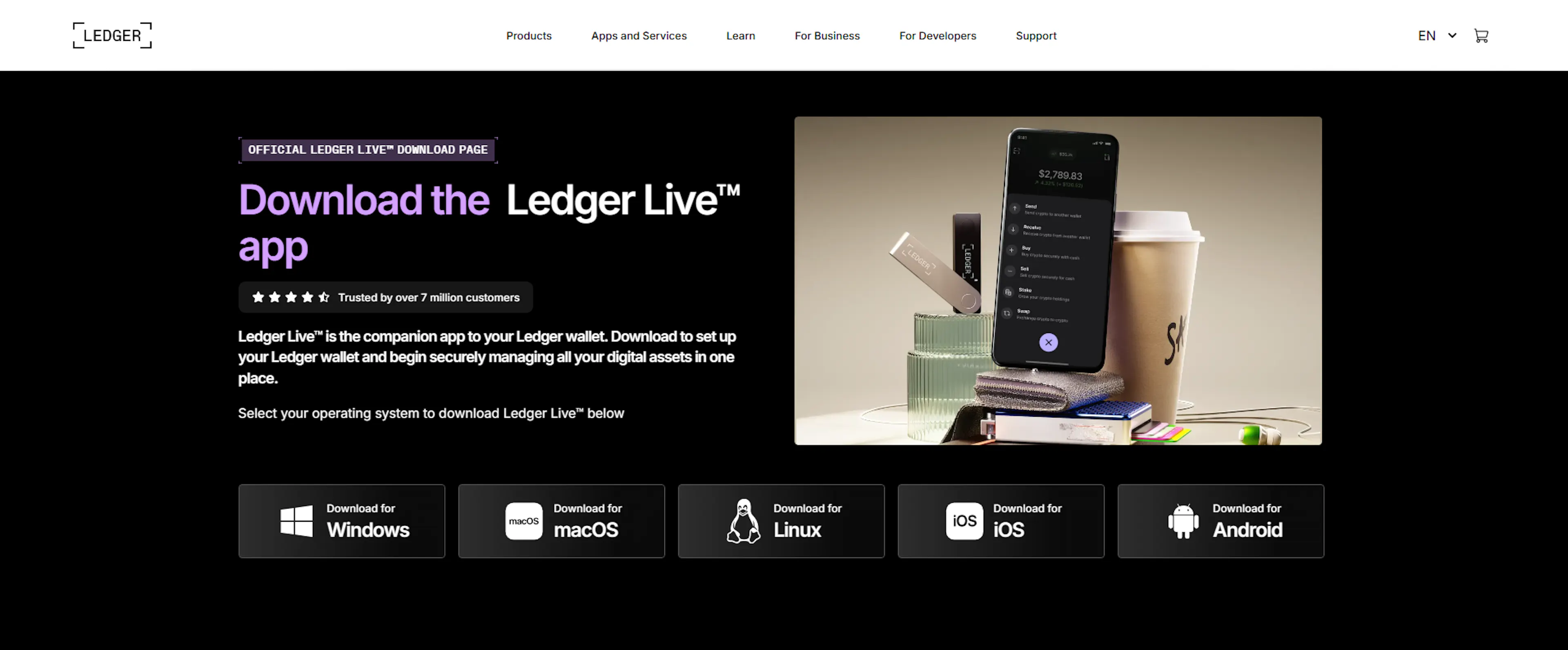
Ledger.com/start: Step-by-Step Guide to Installing and Configuring Your Ledger Wallet
Introduction to Ledger.com/start
Getting started with cryptocurrency requires reliable tools and responsible security practices. Ledger.com/start is the official setup destination for users who want to configure a Ledger hardware wallet and begin managing supported digital assets.
The setup process introduces users to Ledger Wallet, the companion application formerly known as Ledger Live. It explains how to connect a hardware wallet, complete device initialization, configure security settings, and prepare the information needed to recover wallet access.
Whether you are purchasing your first hardware wallet or replacing an existing device, understanding the setup procedure can help you avoid common errors and protect your cryptocurrency.
Why Is Ledger.com/start Important?
A Ledger hardware wallet is designed to protect private keys within the physical device. Transactions are prepared through compatible software and require approval using the hardware wallet.
The official Ledger.com/start page provides access to genuine setup instructions and software resources. Visiting the correct website is important because fraudulent pages may imitate Ledger branding to distribute unsafe applications or request confidential recovery information.
Complete Ledger Wallet Setup Process
1. Open the Official Ledger Setup Page
Start by entering https://www.ledger.com/start into your browser. Check the spelling and domain carefully. Do not rely on unfamiliar advertisements, unexpected emails, or third-party websites for wallet downloads.
2. Prepare and Connect Your Hardware Wallet
Unpack your device and use a compatible cable or connection method to connect it to your computer. Follow the instructions displayed on the hardware wallet screen. Make sure the device remains connected while completing the required setup steps.
3. Install Ledger Wallet
Follow the official website's instructions to download Ledger Wallet for your supported operating system. Install the application and launch it after installation.
The application provides the interface for managing supported accounts and interacting with your hardware wallet. Keep the software updated through official channels.
4. Select New Device Setup or Recovery
During initialization, choose whether you want to create a new wallet or restore an existing one.
- New wallet: Follow the instructions to initialize the device and generate new recovery information.
- Existing wallet: Follow the official recovery procedure using your previously secured recovery phrase.
Make sure you select the correct option before continuing.
5. Set a Strong Device PIN
Configure a PIN directly on your Ledger hardware wallet. Select a combination that is difficult to guess and avoid sharing it with anyone. The PIN helps restrict access to the physical device.
6. Secure Your Recovery Phrase
Your recovery phrase is one of the most important parts of wallet security. Carefully record the words in their correct order using the method recommended during device setup.
Keep the backup in a private, secure, offline location. Never share your recovery phrase with customer support, friends, or online contacts. Do not enter it into websites, applications, or online forms.
7. Verify Your Ledger Device
Complete the authenticity checks presented by the official software. Follow the instructions carefully and resolve any unexpected warnings before proceeding.
8. Install Blockchain Applications
Ledger devices may require specific blockchain applications to manage different supported cryptocurrencies. Use Ledger Wallet to install the applications relevant to your needs and add compatible accounts.
Supported assets and available features depend on the hardware model and software version.
What Can You Manage With Ledger Wallet?
Once the initial configuration is complete, Ledger Wallet provides several account-management tools. Depending on availability, users can:
- Review cryptocurrency balances and portfolio information.
- Monitor transaction activity and account history.
- Generate receiving addresses for supported assets.
- Prepare outgoing cryptocurrency transactions.
- Organize multiple supported accounts.
- Access available wallet services and device settings.
Before approving a transfer, compare the recipient address and transaction amount with the information displayed on your Ledger hardware wallet.
How to Keep Your Ledger Wallet Secure
Correct setup is only the beginning of wallet protection. Follow these essential practices:
Protect your recovery phrase: Keep it offline and never disclose it to another person.
Use a private PIN: Avoid easily guessed combinations and do not share your device credentials.
Download genuine software: Obtain Ledger Wallet and updates from official Ledger resources.
Verify every transaction: Check the recipient address and amount directly on your hardware wallet.
Watch for phishing attempts: Ignore suspicious messages or websites requesting recovery information.
Keep your device secure: Store your hardware wallet somewhere safe when it is not in use.
Common Ledger Setup Problems
If Ledger Wallet cannot detect your device, try another compatible USB cable or port. Check operating-system compatibility and restart the application. If an update or installation fails, consult the official troubleshooting documentation.
Never follow instructions from unknown sources that ask you to disclose your recovery phrase to solve a connection problem.
Conclusion
Ledger.com/start provides a structured starting point for configuring a Ledger hardware wallet. By installing the official Ledger Wallet application, verifying your device, creating a secure PIN, and protecting your recovery phrase, you can prepare your wallet for managing supported cryptocurrencies.
For accurate device-specific instructions, visit the official website: https://www.ledger.com/start.
Disclaimer: This article is independent educational content and is not affiliated with or endorsed by Ledger. Product features and setup instructions may vary by device model and software version.